Skip to sign in Skip to content

Beginners Guide to Hushmail for Healthcare

personal-use-hero

If you've heard about Hushmail – perhaps at a conference, from a fellow healthcare practitioner, or online – but you don't know much about who we are and what we offer, you're in the right place. 

In simple terms, this guide will explain:

  • What is Hushmail?
  • How can Hushmail benefit you?
  • What's the best Hushmail plan for you?
  • How to get started if you decide to join Hushmail

Along the way, we'll answer the most common questions we hear and include links to valuable resources.

So let's start with the most obvious question: what is Hushmail?

What is Hushmail, and what do we offer?

Hushmail is an all-in-one, HIPAA-compliant solution for small and medium-sized healthcare practices to securely communicate with their clients/patients. It is affordable, easy to use, and is made up of two main services:

Secure email

Secure email

Send and receive confidential information with any client using our secure email service.

Secure forms

Secure forms

Get clients to fill and sign your forms online – no more lost, illegible, or incomplete forms.

Note: Hushmail caters to many different types of healthcare professionals. In this guide, we often use the term 'clients' but treat this interchangeably with 'patients' if it's more applicable to you.

Soon, we'll take a closer look at each of these services individually.

But first, you might wonder how your practice could benefit from these services.

Here are the main reasons why healthcare practitioners use Hushmail

Support HIPAA compliance

Protect yourself from non-compliance with HIPAA rules that could result in fines.

Secure your messages

Protect highly sensitive client information from falling into the wrong hands.

Streamline your practice

Use an all-in-one email and forms service that’s designed to work perfectly together.

Reduce admin time
Reduce admin time

Spend less time dealing with admin and more time with your clients.

Reassure your clients

Show your clients that you’re abiding by your ethical responsibilities.

Talk more freely
Talk more freely

Message clients openly. Collect sensitive information without worries.
The most common reason why healthcare practitioners join Hushmail is to support their HIPAA compliance.

Healthcare practitioners always tell us that they find HIPAA rules overwhelming and confusing.

You may know it’s crucial to be HIPAA-compliant, and you may want to ‘check the box’. But you probably aren’t sure how, and you might not feel entirely at ease when it comes to technology, either.

Many of our customers didn’t realize that their previously-used solution wasn’t HIPAA-compliant. Or there was a more secure, efficient, and professional way to handle their emails and forms.

You may have already cobbled together separate email, forms, and e-signature services. If you have, Hushmail can help by consolidating everything under one roof. As Hushmail is an all-in-one service, everything is designed to work perfectly together. This makes your practice more efficient and removes any worries about whether each service can work together without compromising your security and HIPAA compliance.

Now that you know how Hushmail could help, let’s think about how you currently use email in your practice.

Why you need secure, HIPAA-compliant email

Take a look at the practitioners below. Can you relate to any of them?

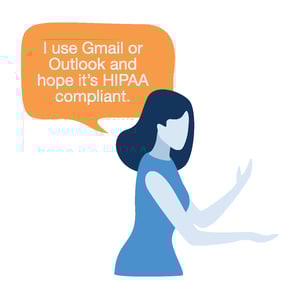
I hope Gmail or Outlook are HIPAA-compliant
The problem?

Traditional email services like Gmail and Outlook are not HIPAA-compliant out of the box and are complicated to adapt.

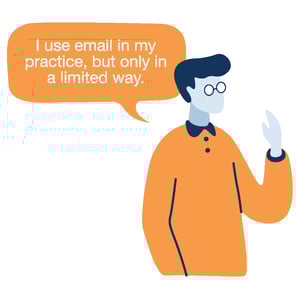
I use email in a limited way
The problem?

Using email in a limited way still puts you at risk of breaching HIPAA as it doesn’t stop clients from emailing you sensitive information insecurely.
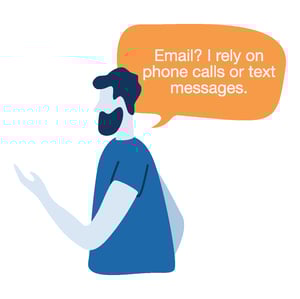
No email. Text or phone calls.
The problem?

Email is essential for having fast and open communication with clients. Plus, other communication methods still need to be HIPAA-compliant.
You might wonder what exactly could happen if you’re not HIPAA-compliant. Well, we hear from lots of healthcare practitioners that say a client complained that they were using Gmail or a similar insecure, non-HIPAA-compliant alternative. All it takes is one client complaining that the way you communicate isn't HIPAA-compliant, and you're putting your practice at risk of:

  • Facing potential fines of up to $50,000 per HIPAA violation.
  • Triggering a lengthy HIPAA audit.
  • Having your practice become subject to oversight from the Health & Human Services.
  • Losing your reputation and struggling to attract new clients.

Having HIPAA-compliant email allows you to message clients securely, discuss sensitive information openly, and stay compliant with the law. It's a win-win situation.

How does Hushmail work?

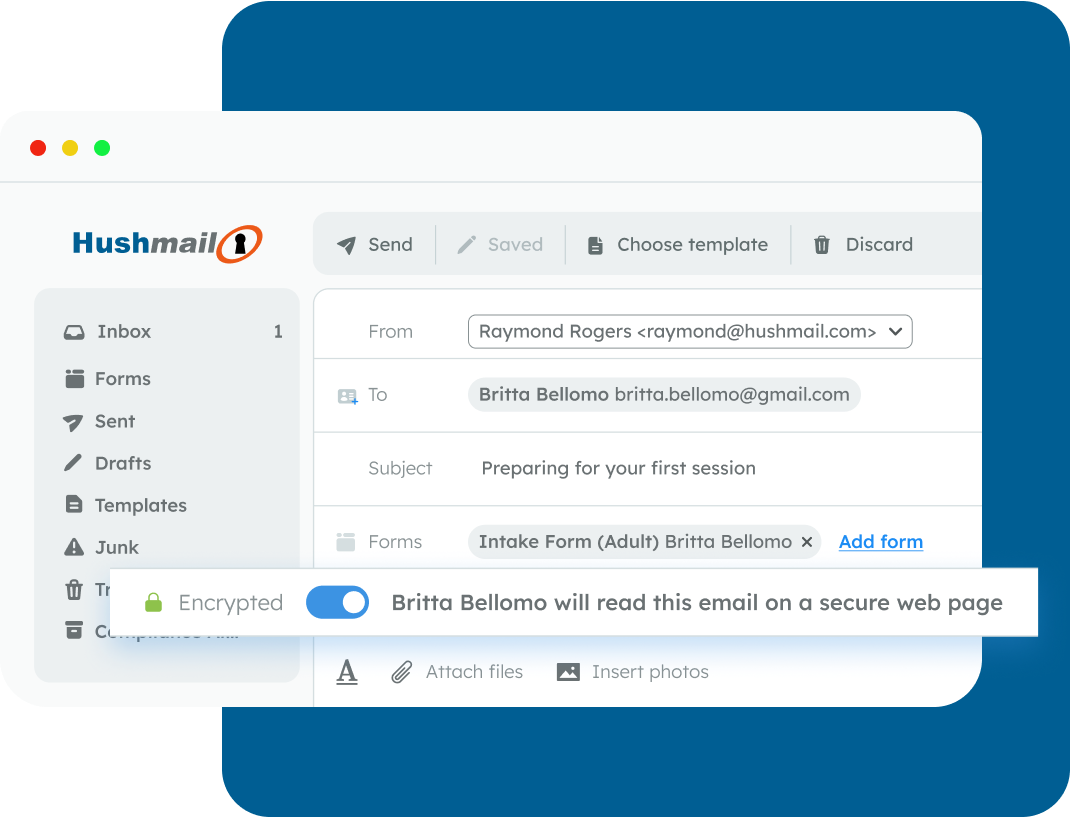
Hushmail is just like regular email, except it has a few extra features for healthcare practitioners.

If you're sending an email that doesn't contain any Protected Health Information (PHI), your recipients can receive it and reply as normal.

one-click-email-encryption-2

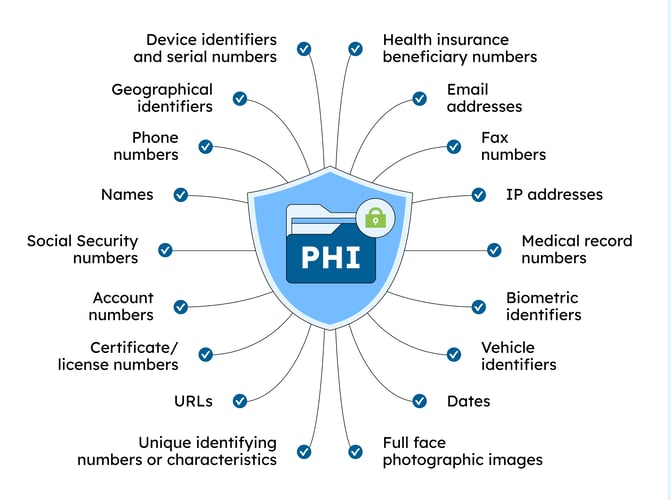
Not sure what counts? HIPAA lists the following as examples:

 
Definition of PHI and its 18 identifiers


However, if you need to send an email containing sensitive information, you simply flick a switch to add encryption to your email.


What is encryption?

Encryption is a security measure that computers use to help ensure only the intended recipient can read your email. 

It’s a bit technical, but computers do this by scrambling the information into a secret code while only telling the recipient how to decode it. This means that if anyone else gets hold of the information while it’s encrypted, it won’t make sense to them.

security-philosophy

If your client uses Hushmail, they will read and reply to your email as normal.

If your client doesn’t use Hushmail, then they’ll be asked to read your emails on a secure webpage. You can find out more about how this works here.

What makes Hushmail a HIPAA-compliant email provider?

Business Associate Agreement
BAA
Required by HIPAA
We sign a legal agreement with you called a Business Associate Agreement (BAA).
Encryption
Encryption
Recommended by HIPAA
We keep emails secure with a technology called encryption.
Email Archive
Email Archive
Recommended by HIPAA
We include an email archive to help you store records.

We've already explained what encryption is, but you may not be familiar with what a 'Business Associate Agreement' or 'email archive' is. So let's explore that briefly.

woman-baa

What is a Business Associate Agreement and do you need one?

As you will send and receive protected health information, you need to sign a legal document known as a Business Associate Agreement (BAA). This agreement asks Hushmail to comply with HIPAA and ensure your patients' information is held securely. The good news is:

  • The agreement can be signed electronically in a few clicks
  • Hushmail has drafted the agreement for you, so there are no lawyer fees
  • It's completely free with a Hushmail for Healthcare plan

Most healthcare professionals must have a BAA when passing sensitive information to a service provider, such as an email service, an accountant, etc. But strictly speaking, it depends on whether HIPAA applies to you based on your profession, and whether you bill insurance. If you're unsure, read our article to find out if you need a BAA.


What is an email archive and why do you need one?

An email archive is a folder that automatically keeps a record of all emails sent and received.

An archive helps you meet the HIPAA requirement to demonstrate that you've been using security measures, such as encryption, when messaging your clients. It also helps you comply with HIPAA, which requires keeping certain records for six years. Plus, some states may have similar requirements, too!

Archive

Email FAQ and summary of key points

Traditional email services like Gmail or Outlook are not HIPAA-compliant out of the box, are complicated to adapt, and are not designed for healthcare.

  • Using email in a limited way (e.g., just for appointment reminders) doesn't mean you're HIPAA compliant either.
  • Not complying with HIPAA could put you and your practice at serious risk.
  • Hushmail provides a HIPAA-compliant secure email service for healthcare practitioners.
Secure forms

PDFs? Paper Forms? It’s time for online practice forms

forms-hero

As a healthcare practitioner, you’re probably using a lot of forms.

Forms for onboarding new clients, screening health conditions, obtaining consent, supplying Good Faith Estimates… the list goes on and on…

But sending them out, receiving them back securely, processing the information, and uploading them to an EHR can be a pretty lousy experience for you and your clients.

The troubles of relying on PDFs and paper forms

Paper Forms

  • You print the form and hand it out.
  • Pre-sized fields mean clients run out of space.
  • Clients' handwriting is hard to read – is that an "L" or an "I"?
  • Clients have no easy way of erasing a mistake, so they cross it out, making it even harder to read.
  • Required form fields are left empty.
  • Paper forms are liable to get lost or damaged, and may have to be reprinted.
  • Clients must either return the form in person or scan and send it.
  • Paper forms need to be shredded or stored securely, such as in a safe, once completed.

PDF Forms

  • Pre-sized fields cause clients to run out of space.
  • Clients often struggle with downloading, saving, and sending.
  • Typed vs. handwritten responses add different admin burdens.
  • Clients often call asking for technical help filling out forms.
  • Forms sometimes come back illegible or incomplete.
  • No way to create assessments that calculate scores.
  • Using Adobe for client signatures might not be HIPAA-compliant.
  • You risk non-compliance with HIPAA if you receive pre-filled forms through regular email without encryption.

At Hushmail, we wanted to create a better way for practices to collect sensitive information.

A way that's secure, HIPAA-compliant, time-saving, and professional for both you and your clients.

That's why we created Hush™ Secure Forms.

With Hush™ Secure Forms, you create online forms that your clients can complete and sign securely, resulting in a much better all-around experience. You can view a sample form here, and see how it compares below: 

Hush™ Secure Forms

  • You email your form to your client or place it on your website.
  • Clients can fill it out online on any device, using as much space as they need to answer.
  • Clients don't need a printer/scanner or additional software.
  • They can add their legally-binding signature electronically.
  • All required form fields are completed, with all information received instantly.
  • Health screening forms automatically calculate a score for you.
  • Forms are stored securely online, ready to be uploaded as PDFs to practice management software.
e-signable

Now that you know how Hush™ Secure Forms works, the next question is how easy it is to set up your forms. The short answer is very easy.

There are 3 main ways to get your forms up:

  1. 1.

    Start fast with ready-made templates

    Use our healthcare templates for common needs like new client intake and appointment requests. We also offer mental health screenings with automatic scoring, including the PHQ-9, GAD-7, DASS, AUDIT, and more. Templates are a quick way to get started or find inspiration that you can tailor to your practice.

    add-secure-contact-form
  2. 2.

    Build your own forms

    Want something custom? Create exactly what you need with our simple form builder. No coding, no hiring a developer.

    customize-forms
  3. 3.

    Have us build them for you

    Short on time? We can turn your existing paperwork into secure online forms using Hush™ Secure Forms. You send the files, and we do the setup.


    tech-support

Form FAQ and summary of key points

  • Most healthcare practitioners use paper forms or PDFs, which can create a poor experience for you and your clients.
  • Hushmail offers an alternative: Hush™ Secure Forms, which allows you to create secure online forms that clients can complete entirely online.

  • With Hush™ Secure Forms, you get a solution that's HIPAA-compliant, saves you time, and helps you present a professional image to your clients.

  • You can use a template, build your own forms, or let us build them for you.

Choosing the right plan for you

practice-budget

Basic

Send HIPAA-compliant emails.
(Does not include forms.)

From $11.99/mo


  • HIPAA-compliant email
  • Encrypted emails
  • Business Associate Agreement (BAA)
  • 10 GB storage per account
  • Email archive
  • Support via email and schedule a call-back

Essentials

Send HIPAA-compliant emails and enjoy extra email features. Plus, start using secure forms.

From $14.99/mo


  • Everything in Basic
  • 3 HIPAA-compliant forms
  • 15 GB storage per account
  • Email templates
  • Email scheduling
  • Have us build your forms for $25 each

Growth

Send HIPAA-compliant email with more forms, e-signatures, custom branding, and advanced security.

From $17.99/mo


  • Everything in Essentials
  • 25 HIPAA-compliant forms
  • E-signatures
  • Custom branding package
  • Additional security package
14-day free trial

When you’re ready to choose a plan click the button below

We know it’s not easy choosing the right technology for your practice or clinic.
That’s why you can try Hushmail for Healthcare 14 days free.

Pricing FAQs

47,000+ healthcare practices trust Hushmail with their most sensitive client and patient communications

“Hushmail provides me with peace of mind”

Opening Quote Mark

Hushmail provides me with peace of mind by allowing me to offer secure and private email to my patients and clients.

The few times I have needed to contact customer or technical service, they were extremely responsive and helpful.

I went away feeling understood and with concrete solutions.

David Ross
David Ross
PhD, LMHC, CMHS, ACS, NCC, Lakewood, WA